Birthday Party RSVPs: A Practical Guide for Kids' and Adult Parties
Updated September 2026.
A birthday party has one number behind every other decision. Cake size, goody bags, pizzas, the deposit at the trampoline park. Get the headcount right and the rest is easy. Get it late and you overbuy, or worse, you're short.
This guide is the practical version: what to put on the invite, what to ask, when to chase, and how to handle the usual surprises. It covers kids' parties first, since those are the hardest, then adult and milestone birthdays.
Why birthday RSVPs are hard
Three things make them harder than a dinner invite:
- Replies come from someone else. For a kids' party, the parent replies for the child, often from a group chat, often late.
- Guests multiply. Siblings tag along, partners come too, and "can I bring a friend?" arrives the day before.
- Details matter. Allergies, who picks up, whether a parent stays. A yes without those is only half an answer.
The fix for all three is the same: make replying take ten seconds, and ask for the details in the reply itself.
What to put on the invite
- Date, start time and end time. The end time is the one parents look for.
- The address, with a note on parking if it's a venue.
- Whether siblings are welcome, and whether parents stay or drop off.
- What's provided (food, cake) and anything to bring (swimsuit, socks for the trampoline park).
- A reply-by date, with a reason: "Reply by the 10th so I can book the right number of spots."
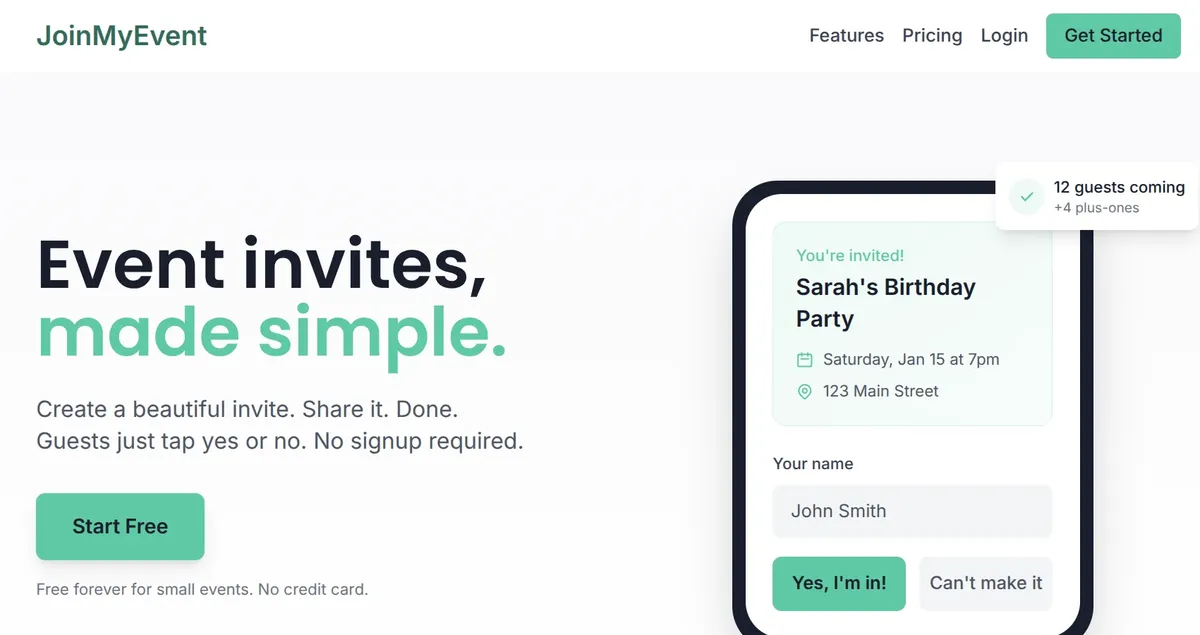
Then share one link. The invite page on JoinMyEvent lets a parent reply with the child's name, add a sibling as a plus-one, and answer your questions in one go. No account, no app. That's what gets replies from the parents who never fill in anything.
Ask the questions up front
Chasing 20 parents about allergies the week before is the worst part of hosting. Put the questions in the reply form instead. The event editor has a ready-made Kids' Party set with three questions:
- Any allergies or foods to avoid?
- Will a parent stay or drop off?
- Who picks up, and a phone number for the day?
One click adds all three. The allergies question is asked per child, so a sibling added as a plus-one gets their own answer. For an adult party, the Dietary and Meal choice sets do the same job.
Plus-ones with names
Turn on plus-ones and guests add the extra people by name. That turns "the Millers, probably three" into three names on your list, and each one can carry their own allergy answer. If the venue has a hard cap, say so on the invite and watch the total on the dashboard rather than counting replies by hand.
A timeline that works
3 weeks before. Send the link. For a class party, post it in the class chat and ask the class rep to pin it. If half-term falls in between, see when to send kids' party invitations.
10 days before. Reply-by date. Look at who's missing and send one friendly nudge, ideally to each parent directly rather than to the group.
1 week before. Book the venue count, order the cake, buy the goody bag stuff for the current headcount plus two.
2 days before. Post an update on the event page if anything changed. It shows on the invite for everyone who replied, and the link you share is the same.
The day. Print or open the guest list, with the pickup names and phone numbers next to each child.
The usual surprises
A "maybe" in the group chat. Reply with the link: "Can you pop your answer in here so I have it in one place?" Most people do it straight away.
A no-reply. A direct message beats a second group post. After the reply-by date, count them as no and say so kindly if they turn up asking.
An extra kid on the day. It happens. Two spare goody bags and one spare plate cover it.
A cancellation the night before. Guests can change their reply themselves with the edit link they got after replying, so the list updates without you doing anything.
Over capacity. Close the invite. The invite link can be set to expire on a date you choose, and you can post an update saying the party is full.
Adult and milestone birthdays
The same setup, with different questions. For a dinner, add the Meal choice set. For a party at a bar, ask about transport so nobody drives. For a 40th or 50th with a speech, a "want to say a few words?" yes/no question saves a lot of texting. The 30th, 40th and 50th pages have card styles that fit.
Surprise parties are the one case where the invite page needs care: keep the guest list hidden (it's a setting) so the birthday person can't stumble on it.
Where to start
- Kids' party: the kids' birthday invite maker has themes for dinosaurs, unicorns, space and the rest, and the kids' birthday RSVP page explains the parent side.
- Adult party: the birthday party RSVP page.
Everything here is free, with no limit on guests, plus-ones or questions. Free cards carry a small "Made on joinmyevent.co" credit, and removing it is $2.99 for that event if you want a clean card. Have a good party :)
Gleich anwenden
Erstelle Deine Einladung
Kostenlos, in etwa einer Minute, und Deine Gäste sagen ohne Konto zu.
Erstelle Deine kostenlose Einladung