Facebook Events vs Dedicated RSVP Tools: Which Should You Use?
Facebook Events is the default choice for many event organizers. It's free, familiar, and everyone seems to be on Facebook. But is it actually the best tool for managing your event's RSVPs?
Let's compare Facebook Events to dedicated RSVP tools and help you decide which fits your needs.
How Facebook Events Works
Facebook Events lets you:
- Create an event page with details
- Invite Facebook friends
- Guests respond: Going, Interested, or Can't Go
- Post updates and discussions
- Share photos after the event
It's integrated into a platform billions of people use. That's its biggest strength - and its biggest limitation.
The Limitations of Facebook Events
1. Everyone Needs a Facebook Account
This is the fundamental constraint. To RSVP to your event, guests must:
- Have a Facebook account
- Be logged in
- Be willing to engage with Facebook
Who this excludes:
- People who've deleted Facebook for privacy reasons
- Older relatives who aren't on social media
- Professional contacts who keep work separate from social
- International guests in countries where Facebook is restricted
- Anyone who simply doesn't want another social media interaction
For many events, this excludes 10-30% of your guest list.
2. "Interested" Isn't an RSVP
Facebook's three-option system creates ambiguity:
| Response | What It Means | Useful for Planning? |
|---|---|---|
| Going | Probably attending | Somewhat |
| Interested | Maybe, might forget | No |
| Can't Go | Not attending | Yes |
| No response | Unknown | No |
"Interested" is essentially useless for planning. It means "I might come if I remember and nothing better comes up."
3. No Plus-Ones Tracking
Facebook Events has no built-in way to track plus-ones. If a guest is bringing a partner, kids, or friends, you have no structured way to capture:
- How many people they're bringing
- Names of additional guests
- Total headcount
You're left asking in comments or messages, then manually tracking somewhere else.
4. No Export for Vendors
Try getting your Facebook Events guest list into a format your caterer can use. You'll need to:
- Manually copy names from the event page
- Paste into a spreadsheet
- Hope you didn't miss anyone
- Repeat when responses change
Dedicated tools export to CSV with one click.
5. Algorithm-Controlled Visibility
Facebook decides what your guests see. Your event update might:
- Appear prominently in their feed
- Get buried under other content
- Never show up at all
You can't guarantee guests see important announcements.
6. Privacy Concerns
When guests RSVP on Facebook:
- Their attendance is visible to other guests (and potentially others)
- Facebook tracks this data for advertising
- Some guests are uncomfortable with this visibility
For private events, this public-by-default approach feels wrong.
7. Unreliable Response Rates
The casual nature of Facebook Events leads to:
- People clicking "Going" and forgetting
- Last-minute dropouts without notification
- "Interested" people showing up unexpectedly
- Lower perceived commitment
Event planners consistently report Facebook RSVPs are less reliable than dedicated tool responses.
When Facebook Events Works
Despite limitations, Facebook Events excels in certain scenarios:
Public Events
Concerts, meetups, community gatherings - events where:
- Broad reach matters
- Exact headcount isn't critical
- You want social sharing/discovery
- Guest list privacy isn't a concern
Casual Social Gatherings
Low-stakes events where:
- All guests are Facebook users
- Plus-ones don't need tracking
- Rough headcount is sufficient
- No vendor coordination required
Free Events
When there's no cost to overestimating or underestimating attendance, Facebook's imprecision matters less.
When to Use Dedicated RSVP Tools
Dedicated tools outperform Facebook Events for:
Private Events
Weddings, family gatherings, professional events where:
- Guest privacy matters
- Not everyone is on Facebook
- Plus-ones need tracking
- Formal headcount is required
Catered Events
Any event where you're paying per-head:
- Dinner parties
- Wedding receptions
- Corporate events
- Catered birthday parties
Accurate headcounts save money. A 10% error on a 50-person dinner at $50/head is $250.
Professional Events
Business contexts where Facebook feels inappropriate:
- Client events
- Team gatherings
- Networking events
- Product launches
Sending professional contacts to a Facebook Event page feels informal and raises data concerns.
Events with Non-Facebook Guests
When your guest list includes:
- Older family members
- Privacy-conscious friends
- International guests
- Anyone who's left Facebook
Dedicated tools don't exclude anyone.
Feature Comparison
| Feature | Facebook Events | Dedicated RSVP Tools |
|---|---|---|
| Account required | Yes (Facebook) | Varies (best: no) |
| Plus-ones tracking | No | Yes |
| CSV export | No | Yes |
| Custom questions | Limited | Yes |
| QR codes | No | Often yes |
| Works for everyone | No | Yes |
| Professional appearance | Informal | Customizable |
| Privacy control | Limited | Full |
| Reliable RSVPs | Lower | Higher |
The Best of Both Worlds
You don't have to choose exclusively. Many organizers use:
Facebook Events for:
- Initial announcement and social buzz
- Discussion and updates
- Photo sharing after the event
Dedicated RSVP tools for:
- Official headcount
- Plus-ones and dietary info
- Vendor-ready exports
- Reaching non-Facebook guests
Include your dedicated RSVP link in the Facebook Event description: "For official RSVP and to add plus-ones, please use: [link]"
Making the Switch
If you've been using Facebook Events exclusively, here's how to transition:
1. Start with Your Next Event
Don't try to migrate a current event. Begin fresh with a dedicated tool.
2. Share Both Links
Post your dedicated RSVP link on Facebook while guests adjust to the new system.
3. Explain the Benefits
Tell guests: "We're using [tool] so you can easily add plus-ones and dietary requirements. No Facebook account needed!"
4. Compare Results
After one event, compare:
- Response rate
- Data quality
- Planning ease
- Guest feedback
Most organizers never go back to Facebook-only after experiencing dedicated tools.
What to Look for in RSVP Tools
If you're moving beyond Facebook Events, prioritize:
No Guest Accounts Required
The main complaint about Facebook Events is the account requirement. Don't replace it with another platform that has the same friction.
Plus-Ones with Names
Structured tracking of additional guests, not just a number but actual names for seating and place cards.
Easy Export
One-click CSV download for caterers, venues, and your own records.
Mobile-Friendly
Most RSVPs happen on phones. The tool should work perfectly on mobile without an app download.
Clean Design
Your invitation should look as professional as your event.
JoinMyEvent: Built for What Facebook Events Can't Do
We designed JoinMyEvent to handle everything Facebook Events struggles with:
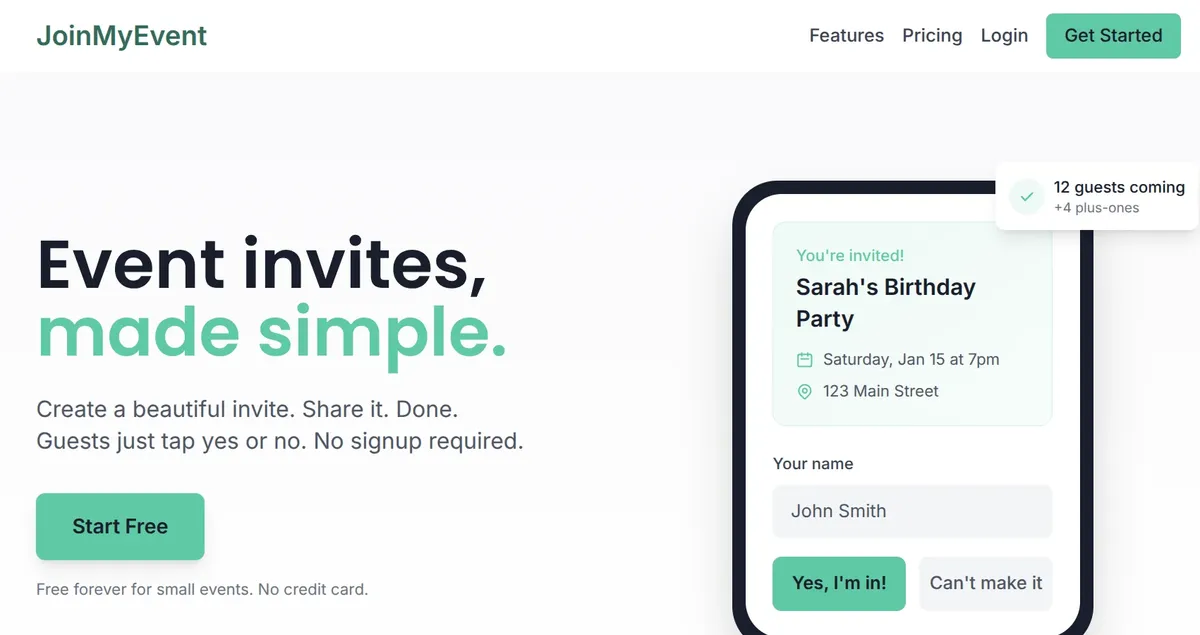
- No accounts required - Guests RSVP with just their name
- Plus-ones tracking - Names captured for seating charts
- CSV export - One click for caterer-ready lists
- Works for everyone - No Facebook needed
- QR codes - For printed invitations
- Professional appearance - Clean, ad-free pages
Use Facebook for the social aspects. Use JoinMyEvent for reliable RSVPs.
Create Your Free Event - Get accurate headcounts, not "Interested" maybes.
Questions about managing RSVPs beyond Facebook? Email us at contact@joinmyevent.co.
Ready to Simplify Your Event Planning?
Create beautiful event invitations where guests don't need to sign up