Wedding RSVP Without Guest Accounts: Simplify Your Response Collection
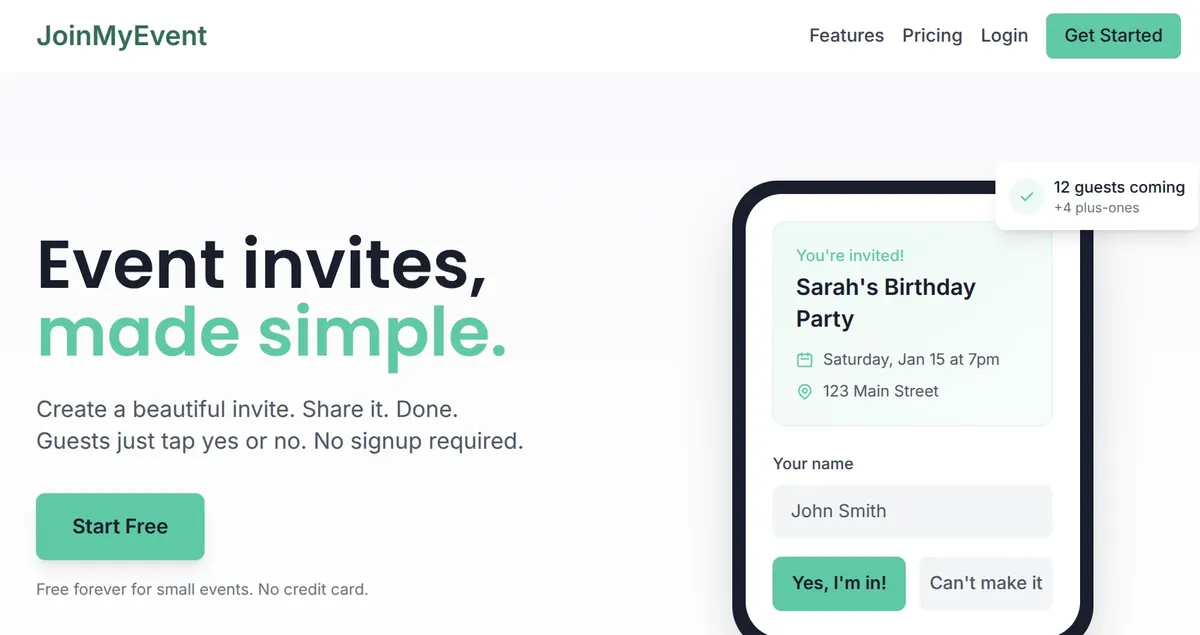
Your wedding guests shouldn't need to create yet another account just to tell you they're coming. Yet most digital RSVP platforms require exactly that - email, password, account verification - all for a simple "yes" or "no."
This guide explains why no-account RSVPs work better for weddings and how to implement them.
The Wedding RSVP Challenge
Wedding RSVPs are different from other event invitations:
High Stakes
- Accurate headcount affects everything: venue, catering, seating, favors
- Each "yes" or "no" directly impacts your budget
- Last-minute changes create cascading problems
Diverse Guest Demographics
Your guest list likely includes:
- Tech-savvy friends who prefer digital
- Older relatives who struggle with technology
- International guests across time zones
- Guests with varying levels of English fluency
One-size-fits-all platforms rarely accommodate this diversity.
Formal Expectations
Weddings are formal occasions. Your RSVP experience should match:
- Elegant design, not generic forms
- Personal touch, not corporate interfaces
- Seamless experience, not technical hurdles
Why Account Requirements Kill Response Rates
The Friction Problem
Every additional step in the RSVP process loses guests:
| Step | Drop-off Rate |
|---|---|
| Click invitation link | 5% |
| View event page | 10% |
| Click "RSVP" button | 15% |
| Create account | 40-60% |
| Enter password | +10% |
| Verify email | +20% |
| Return to complete RSVP | +30% |
Account creation is the biggest friction point. Studies show form abandonment rates of 40-60% when account creation is required.
The "I'll Do It Later" Effect
When guests encounter account creation:
- They think "I'll do this later when I have more time"
- They close the tab
- They forget
- You send a reminder
- They repeat steps 1-4
No-account RSVPs remove this cycle entirely.
Technology Barriers
Account creation assumes guests can:
- Create secure passwords
- Access email for verification
- Remember login credentials
- Navigate multi-step forms
For many wedding guests - especially older generations - these assumptions don't hold.
The Guest Experience Difference
Traditional Platform Flow
- Receive invitation (email or paper with link)
- Click link
- See account creation form
- Enter email, create password
- Submit
- Check email for verification
- Click verification link
- Log in with new credentials
- Find the event
- Finally submit RSVP
- Enter plus-one information
- Add dietary restrictions
Result: 12 steps, 5+ minutes, high abandonment
No-Account Platform Flow
- Receive invitation (email or paper with link)
- Click link
- See beautiful wedding invitation
- Enter name
- Select attending (Yes/No)
- Add plus-one names if applicable
- Note dietary restrictions
- Submit
Result: 8 steps, under 2 minutes, minimal abandonment
The Emotional Difference
Traditional platform: "Ugh, another account to create"
No-account platform: "That was easy! What a beautiful invitation"
Your wedding invitation is the first impression of your big day. Make it delightful, not frustrating.
Wedding-Specific RSVP Requirements
Plus-Ones (The Complexity)
Wedding plus-ones are more complex than other events:
What you need to capture:
- Primary guest name (for seating chart)
- Plus-one name (for place cards)
- Relationship (for table planning)
- Dietary needs for each person
What most platforms capture:
- "John Smith + 1 guest"
This leaves you calling guests to get plus-one names - extra work you don't need during wedding planning.
Better approach: RSVP systems that prompt for individual names:
- "Your name: _____"
- "Plus-one name: _____"
- "Dietary needs for each: _____"
Dietary Requirements
Modern weddings accommodate diverse dietary needs:
- Vegetarian / Vegan
- Gluten-free / Celiac
- Nut allergies (severe)
- Dairy-free / Lactose intolerant
- Kosher / Halal
- Low-sodium / Diabetic-friendly
Your RSVP system should capture:
- Type of restriction
- Severity (preference vs. allergy)
- Which guest it applies to
Meal Selection
Some weddings offer meal choices:
- "Beef, fish, or vegetarian?"
- "Which starter would you prefer?"
- "Red or white wine?"
Your RSVP form should capture selections per guest, not per response.
Multiple Events
Wedding weekends often include:
- Welcome party (Friday)
- Wedding ceremony (Saturday)
- Brunch (Sunday)
Guests may attend some events but not others. Your RSVP should allow per-event responses.
Plus-One Restrictions
Not all guests get plus-ones:
- Single guests: plus-one allowed
- Couples invited together: no additional plus-ones
- Family members: children may or may not be invited
Your invitation system should handle these rules gracefully.
Paper vs Digital Wedding Invitations
Paper Invitations
Pros:
- Traditional, formal feel
- Keepsake value
- Works for all guests regardless of technology
Cons:
- Expensive (printing, postage, reply cards)
- Slow (mail delays)
- Manual tracking required
- Reply cards get lost
Make it work: Include a QR code linking to digital RSVP. Guests get the paper experience with digital convenience.
Digital Invitations
Pros:
- Instant delivery
- Real-time tracking
- Easy updates
- Cost-effective
- Environmentally friendly
Cons:
- May feel less formal
- Email gets overlooked
- Some guests prefer paper
Make it work: Design for elegance. Use beautiful graphics, readable fonts, and clear calls to action.
Hybrid Approach (Recommended)
Send beautiful paper invitations with:
- Traditional wording and design
- QR code linking to digital RSVP
- Website URL as backup
- No physical reply card (save money)
This gives guests choice:
- Scan QR → instant RSVP
- Visit website → same experience
- Call you → some guests will prefer this
Setting Up No-Account Wedding RSVPs
What to Include on Your RSVP Page
| Element | Purpose |
|---|---|
| Names being invited | Clarity ("John and Jane Smith") |
| Event details | Date, time, location |
| RSVP deadline | Creates urgency |
| Contact info | For questions |
| Response form | Yes/No, names, dietary |
| Confirmation message | "Thank you!" reassurance |
RSVP Form Fields
Essential:
- Name (pre-filled if possible)
- Attending? (Yes/No/Maybe)
- Number in party (if plus-ones allowed)
- Plus-one names
- Dietary restrictions
Optional:
- Meal selection
- Song requests
- Message for couple
- Address for thank-you cards
Avoid:
- Email (unless necessary)
- Phone number
- Excessive questions
- Account creation
Response Confirmation
When guests submit their RSVP, show:
- Clear confirmation message
- Summary of their response
- Option to add to calendar
- Contact info if they need to change
Send confirmation email only if you have their email address already.
Managing Wedding Guest Responses
Response Statuses
Track guests in categories:
| Status | Action Needed |
|---|---|
| Confirmed attending | Finalize count |
| Declined | Thank them, update count |
| No response | Follow up |
| Maybe/Pending | Clarify by deadline |
Following Up with Non-Responders
Timeline:
| Timing | Action |
|---|---|
| 2 weeks before deadline | General reminder |
| Deadline day | "Last day to RSVP" |
| 3 days after deadline | Personal outreach |
| 1 week after deadline | Phone calls |
Sample messages:
Gentle reminder: "Hi! Just a friendly reminder to RSVP for our wedding by [date]. We'd love to celebrate with you! [Link]"
Deadline reminder: "Last call for RSVPs! We need final numbers for our caterers. Please respond today at [link] or call us if easier."
Personal follow-up: "Hi [Name], we haven't received your RSVP yet. We really hope you can make it! Could you let us know either way? Thanks!"
Handling Changes
Guests will change their responses. Make it easy:
- Allow response updates before deadline
- Have a clear process for post-deadline changes
- Track changes with timestamps
- Communicate cutoffs clearly
When changes are no longer possible: "Our caterer finalizes numbers on [date], so we can accommodate changes until then."
Wedding RSVP Data for Vendors
What Caterers Need
| Data Point | Format |
|---|---|
| Guest names | Full names, alphabetized |
| Dietary restrictions | Per guest |
| Meal selections | Per guest |
| Kids vs adults | Separate counts |
| Total headcount | Exact number |
Export this as CSV or printable list.
What Venues Need
- Total guest count
- Accessibility requirements
- Special needs
- Kids count (for seating)
What Stationery Needs (For Place Cards)
- Full names as they should appear
- Table assignments
- Special dietary indicators
Seating Chart Integration
Your RSVP data feeds into seating:
- Export confirmed guests - Names, relationships, group sizes
- Identify conflicts - Exes, family tensions
- Note requirements - Accessibility, near exits, near restroom
- Assign tables - Using guest data
- Create place cards - Matching RSVP names exactly
Having accurate names from your RSVP (not "John Smith +1") makes this dramatically easier.
Why JoinMyEvent Works for Weddings
We built JoinMyEvent specifically to solve these wedding RSVP problems:
No Guest Accounts Your grandmother doesn't need to create a password. Guests respond with their name - that's it. Cookie-based identification remembers them if they return to update.
Beautiful Event Pages Your wedding invitation appears on an elegant, mobile-optimized page. No ads, no distractions, just your event.
Individual Plus-One Names When guests add family members, we capture each person's name individually. No more "John Smith +2."
Dietary Tracking Guests note restrictions per person. Export includes dietary needs mapped to each guest name.
Real-Time Dashboard See responses as they arrive. Track confirmed, declined, and pending. Know your headcount instantly.
Easy Updates Guests can return and change their response. You always see the latest information.
CSV Export Download your guest list in caterer-ready format. Names, dietary needs, headcount - everything you need.
QR Codes Add a QR code to paper invitations. Guests scan and RSVP in seconds.
Plan Your Wedding RSVPs - Free for small events, affordable plans for larger weddings.
Have wedding RSVP questions? Email us at contact@joinmyevent.co - we love helping couples plan their big day.
Ready to Simplify Your Event Planning?
Create beautiful event invitations where guests don't need to sign up