Event Invitations That Don't Need Guest Accounts
Updated October 2026.
You've set the date, booked the place and written the invite. Then the tool you picked asks every guest to create an account before they can say yes.
Some will. Many will think "later". The headcount you get back is the one you planned the whole party around, so this post is about getting that number without putting a signup wall in front of your guests. The guest's side of the same story is in Why guests prefer invitations with no signup. This one is for the host.
What signup does to your headcount
The path with an account looks like this: tap the link, see "create an account", think "not now", forget. Each of those steps loses a few people, and the ones you lose are not random. They're the older relatives, the busy parents, the colleagues who don't care much either way. Those are exactly the people you'd otherwise have to chase by text.
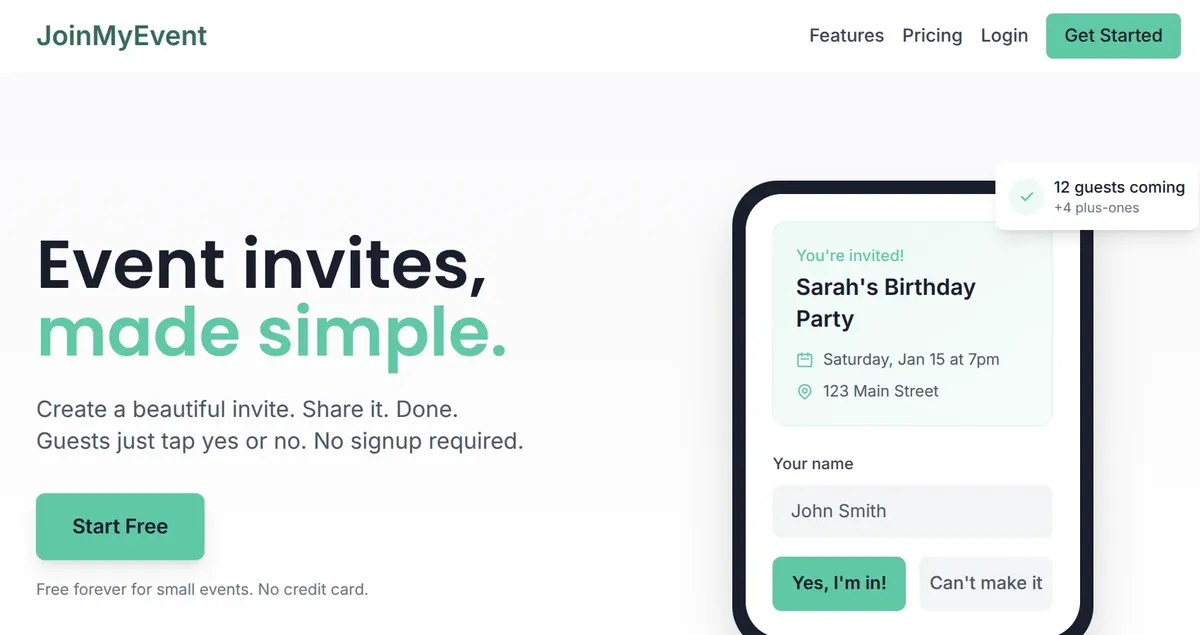
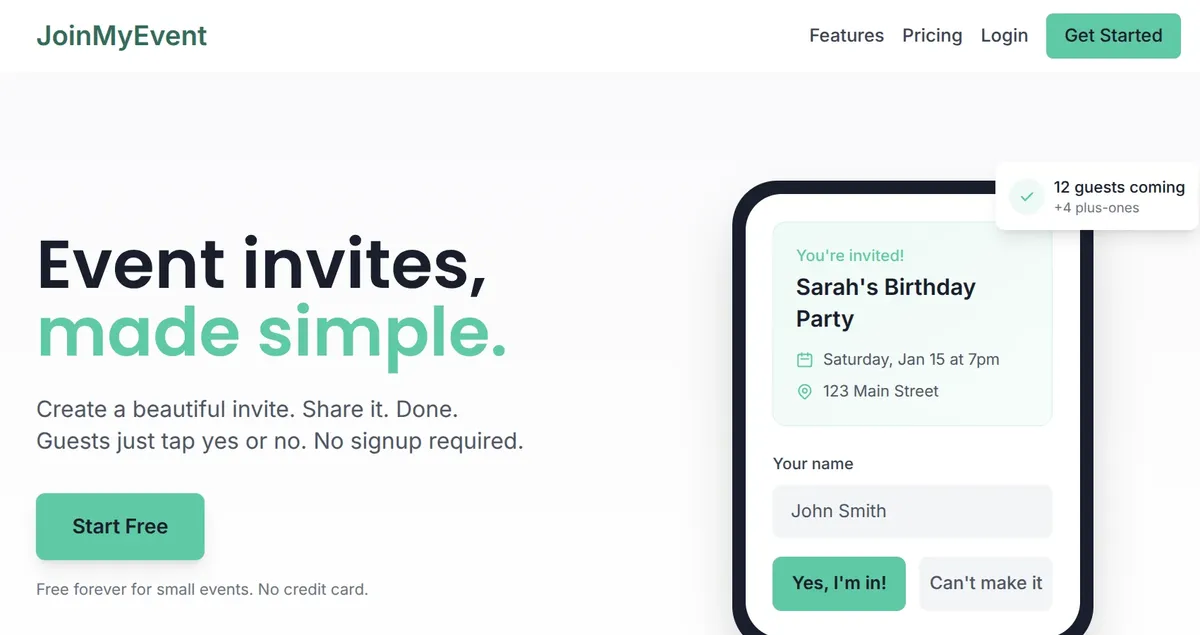
A name-only reply removes the wall. Guests open the link, type their name, tap yes or no. From my experience the difference shows up in who replies in the first hour, before the link scrolls out of the chat.
How no-signup RSVPs work
No account doesn't mean no memory. Two things carry a guest's answer:
The browser remembers them. When a guest replies, a small identifier is stored in their browser. Open the invite link again on the same phone and their previous answer is shown, ready to change.
A personal edit link. After replying, the guest gets a link that opens their own response from any device. It's shown on the confirmation page with a copy button. Details in the edit link post.
Names, not identities. Guests type the name the host knows them by. Since invites go to people you know, "Sam" in the class chat is not ambiguous, and nobody fakes an RSVP to a birthday party. If you allow plus-ones, guests add those names in the same form.
Privacy is better without accounts
This surprises people. An account-based tool holds an email address, a password and often a profile it can market to. A name-only tool holds a name and an answer.
| Account required | Name only | |
|---|---|---|
| Email address | Required | Not asked |
| Password | Stored | None |
| Phone number | Often required | Not asked |
| Marketing list | Common | Nothing to add to |
Your aunt shouldn't join a mailing list to say she's coming to your birthday. With no account there's nothing to sign up to.
When accounts do make sense
Ticketed events with payments, members-only clubs, or a recurring meetup where the same people log in every week. For those, an account carries real value. For a birthday, a dinner, a class party, a baby shower or a team lunch, it only adds friction.
What to look for in a tool
If you're comparing tools, check these on the guest side, on your own phone:
- Name-only reply. No email, no phone number, no app. Test it in a private window so your own login doesn't hide the signup wall.
- A way to change the answer without starting over.
- Plus-ones in the same form, with names, so the count is real.
- Works from a chat app. Most invites are opened from WhatsApp, iMessage or a group chat. The page has to load fast and fit a phone.
- A clear confirmation so the guest knows it went through.
- No ads next to your event. Ads make an invite look like spam, and some guests won't trust the link.
How JoinMyEvent does it
I built JoinMyEvent around the name-only reply. The host side works like this:
- Create an event and design the card. No account needed to start, and no card details.
- Share one link in the chat, by email, or as a QR code on a printed card.
- Guests reply with their name, add plus-ones, and answer any questions you set (allergies, kids' names, what they're bringing).
- Your dashboard shows the live headcount, and guests can add the event to their calendar.
For guest names, questions, updates and the CSV export, you need a free account. Your guests never do.
Everything above is free with no limits on guests or events, and there are no ads anywhere. Free cards carry a small "Made on joinmyevent.co" credit. Removing it costs $2.99 for one event, which also includes the CSV export of the guest list. No monthly plans.
Create a free invite and open the link on your phone. If replying feels like nothing, it's working.
Gleich anwenden
Erstelle Deine Einladung
Kostenlos, in etwa einer Minute, und Deine Gäste sagen ohne Konto zu.
Erstelle Deine kostenlose Einladung