Edit Your RSVP Anytime with Magic Links
Life happens. You say yes to a party, then work schedules shift. You RSVP for two, then your plus-one gets sick. You forget to mention a food allergy.
Most RSVP systems make changing your response a hassle. You need to create an account, remember a password, or find the original email and start over.
JoinMyEvent's magic links solve this problem elegantly.
What Are Magic Links?
A magic link is a unique, secure URL that gives you instant access to edit your RSVP. No account required. No password to remember. Just click and update.
When you respond to any JoinMyEvent invitation, you receive a magic link in your confirmation. Save it, and you can return anytime to:
- Change from "attending" to "declined" (or vice versa)
- Update plus-one names
- Add or remove guests from your party
- Modify dietary restriction answers
- Update any custom question responses

How Magic Links Work
1. You Respond to an Invitation
Visit any JoinMyEvent invite link, enter your name, and submit your response. That's the normal flow.
2. You Receive a Magic Link
After submitting, you'll see a confirmation screen with your unique edit link. If you're logged into a JoinMyEvent account, this response is also linked to your Responses Dashboard.
3. Save the Link
Bookmark it, save it to notes, or add it to your calendar reminder. This link is yours for as long as the event exists.
4. Return Anytime
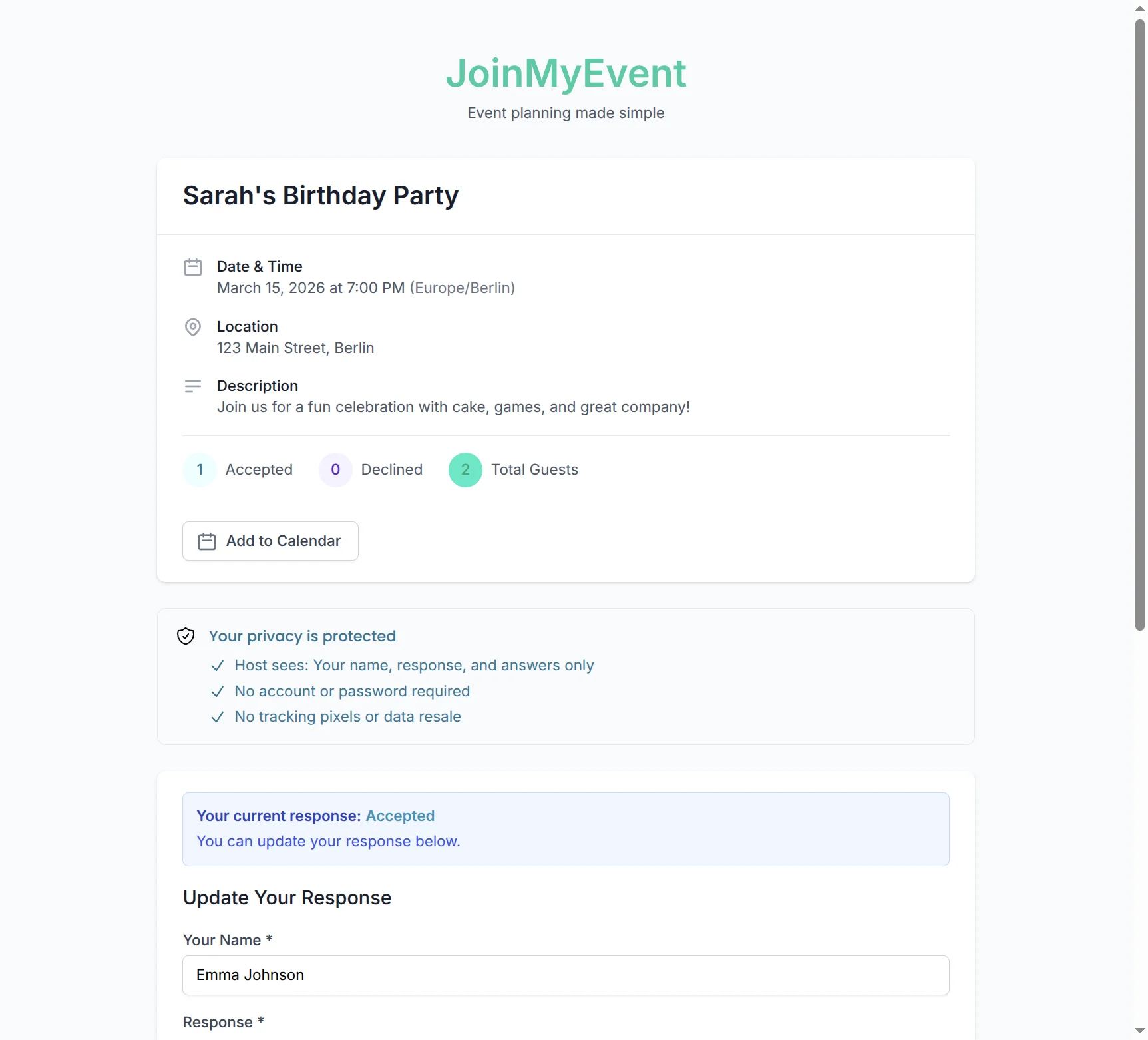
Click your magic link when plans change. Your previous response is pre-filled, ready to update.
Why This Matters
No Account Barrier
Creating accounts adds friction. Most people already have too many passwords to remember. Magic links let guests stay in control without the overhead of yet another login.
Plans Change (Often)
Research shows that 15-30% of event RSVPs change before the event date. Common reasons:
| Reason | How Magic Links Help |
|---|---|
| Work conflicts | Quick change from "yes" to "no" |
| Plus-one availability | Add or remove guests easily |
| Dietary changes | Update food restrictions |
| Child care fell through | Adjust party size |
| Found out friend is going | Change decline to accept |
Without easy editing, guests either don't update (causing no-shows) or bother the host with change requests.
Reduces Organizer Workload
Every RSVP change request that comes via text, email, or phone call means more work for the event organizer. Magic links let guests self-serve, keeping your inbox clean.
Security of Magic Links
Unique Tokens
Each magic link contains a cryptographically secure token - a long random string that's practically impossible to guess. The link is unique to your response.
Event-Specific
Your magic link only works for the specific event you responded to. It can't be used to access other events or other guests' responses.
No Account Means No Account Compromise
Since there's no account, there's no password to steal. The magic link is the key, and only you have it.
Rate Limited
Even if someone tried to guess magic links (which would take longer than the universe has existed), our rate limiting stops automated attempts.
Magic Links vs. Account-Based Editing
| Feature | Magic Links | Account Required |
|---|---|---|
| Speed to edit | Instant (one click) | Find email, reset password, log in... |
| Password needed | No | Yes |
| Works on any device | Yes | Only if logged in |
| Can share with friend | Yes (responsibly) | Not easily |
| Works for tech-shy guests | Yes | Often not |
When Magic Links Shine
Wedding RSVPs
Wedding guests range from tech-native millennials to grandparents. Magic links work for everyone. When Aunt Martha's plans change, she doesn't need to create a "JoinMyEvent account" - she just clicks her saved link.
Corporate Events
Executives change schedules constantly. Their assistants can hold the magic link and update responses as calendars shift.
Family Gatherings
Kids get sick. Flights get rescheduled. Magic links let family members update their status without calling the host at 11 PM.
Community Events
For recurring events (book clubs, meetups), regulars can keep their magic links handy for quick responses.
What If You Lose Your Magic Link?
If you're signed in to a JoinMyEvent account and responded to an event, you can always find your magic link in the Your Responses dashboard.
For guests without accounts, contact the event organizer - they can see your response but can't access your magic link (for your privacy). They can share the original invite link, and you can submit a new response.
For Organizers: What This Means
Real-Time Updates
When guests use magic links to change their RSVP, your dashboard updates instantly. No manual entry needed.
Accurate Headcounts
Because editing is easy, guests actually do it. Your final count is more accurate than with systems that make changes hard.
Less "Can You Change My RSVP?" Messages
Guests handle their own updates. You focus on planning, not data entry.
Try It Yourself
Create an event on JoinMyEvent, then respond to it as a guest. You'll see the magic link experience firsthand:
- Create a free event
- Get your invite link
- Open in a different browser (or incognito) to act as a guest
- Submit a response
- Save your magic link
- Return and edit
It's that simple.
Have questions about magic links or other features? Email us at contact@joinmyevent.co.
Ready to Simplify Your Event Planning?
Create beautiful event invitations where guests don't need to sign up