Change Your RSVP Anytime With Your Edit Link
Updated September 2026.
You said yes to a party, then a work trip landed on the same weekend. You replied for two, then your plus-one got sick. You forgot to mention the nut allergy.
On most RSVP tools, changing an answer means finding the original email, logging in, or messaging the host. On JoinMyEvent it's one link.
The edit link
After a guest replies, the confirmation page shows a personal edit link with a copy button. That link opens the guest's own response, pre-filled, on any device. Change the answer, save, done. No account, no password.
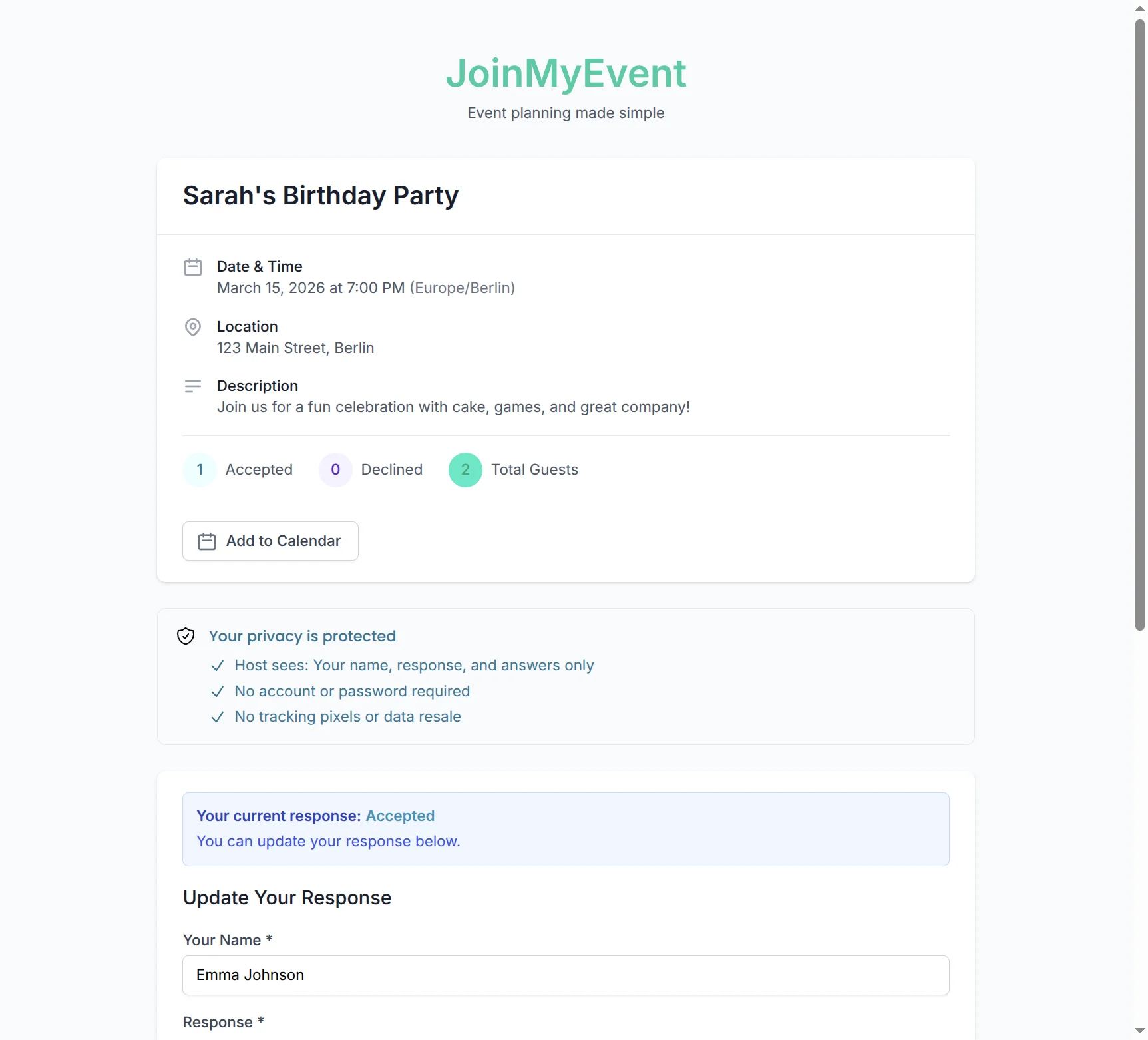
Everything in the reply can be changed:
- yes to no, or no to yes
- plus-one names, adding or removing people
- answers to the host's questions (allergies, meal choice, kids' names)
- the potluck dish
- the message to the host
Two ways back in
Same phone, no link needed. The browser remembers a guest after they reply. Open the invite link again on the same device and the form shows the previous answer, ready to edit.
Any device, with the link. The edit link works from a different phone or a laptop, which is the case the browser memory can't cover. Copy it into your notes, or save it with the calendar entry.
Optional: an account. The confirmation page also offers to link the reply to a JoinMyEvent account. That's for people who reply to a lot of events and want them in one place, on the responses dashboard. It's never required.
Why the link is safe to use
The edit link contains a long random token that belongs to one reply on one event. It can't open other guests' answers or other events. Since there's no account behind it, there's no password to leak either. Treat it like a key: it's fine to keep, and only you have it.
What it means for the host
Guests who can fix their own answer do fix it. That's the difference between a headcount that's right on the day and a guessed one. It also means fewer "can you change me to two?" texts at 11 pm, because the guest handles that themselves and the dashboard updates on its own.
Lost the link?
If the reply is linked to an account, it's on the responses dashboard. If not, open the original invite link on the phone you replied from and the browser will still know you. Failing both, the host can't hand out your edit link (that's on purpose), but you can reply again with the same name and let them know.
Try it
Create a free invite, open the link in a private window to play the guest, reply, and copy the edit link from the confirmation. Then open it somewhere else and change your answer. That's the whole feature :)
Ponlo en práctica
Crea tu invitación
Gratis, en un minuto, y tus invitados confirman sin cuenta.
Crea tu invitación gratis