Corporate Event Invitations: RSVPs for Team Lunches, Offsites and Client Events
Updated September 2026.
Work events have one problem that private parties don't: nobody replies. The invite goes into a busy inbox, half the team means to answer later, and the caterer wants numbers by Friday.
This post is about getting that number back with as little chasing as possible. It covers what to put in the invite, which questions to ask, and how to hand the list to whoever needs it.
What a work invite has to say
Keep it short and complete. People decide in the time it takes to read the first three lines.
- Who is hosting. "The events team" or a name, so people know who to ask.
- What it is, in plain words. "Q3 team dinner" beats "an evening of celebration".
- Date, start and end time. End time matters for people with childcare.
- Where, with the address and a note on parking or the nearest station.
- Dress code, if there is one.
- Whether partners are welcome.
- A reply-by date and the reason for it. "Please reply by the 12th, the caterer needs numbers" gets answers. "RSVP" on its own doesn't.
A few wording examples
Team dinner
Q3 team dinner on Thursday, October 15, 7 pm at Luigi's, 200 Center Street. Partners welcome. Please reply by October 8 with any dietary needs, the restaurant needs our numbers.
Company holiday party
The holiday party is on Friday, December 18, from 6 to 10 pm at the Grand Ballroom, 500 Center Street. Festive cocktail attire, plus-ones welcome. Reply by December 11 with your plus-one's name so we can print badges.
Client event
You're invited to a preview of [product] on Thursday, January 15, 5:30 to 8 pm at the Innovation Center, 200 Tech Parkway. A short demo, then drinks with the team. Kindly reply by January 8.
Offsite
Team offsite, Wednesday, May 6, 9 am to 4 pm at the lake house. We'll drive together from the office at 8:15. Reply by April 24 and tell us if you need a seat in a car and how you eat.
Questions worth asking
Only ask what you'll act on. Every extra question costs replies.
- Dietary needs, as a short list plus "other". Vegetarian, vegan, gluten-free, halal, kosher, none.
- Allergies, free text.
- Plus-one name, if partners are welcome. It saves you from "Guest of J. Smith" badges.
- Transport, for offsites. "Need a ride?" or "Coming by car?"
- Accessibility needs, free text.
- T-shirt size, if there's swag.
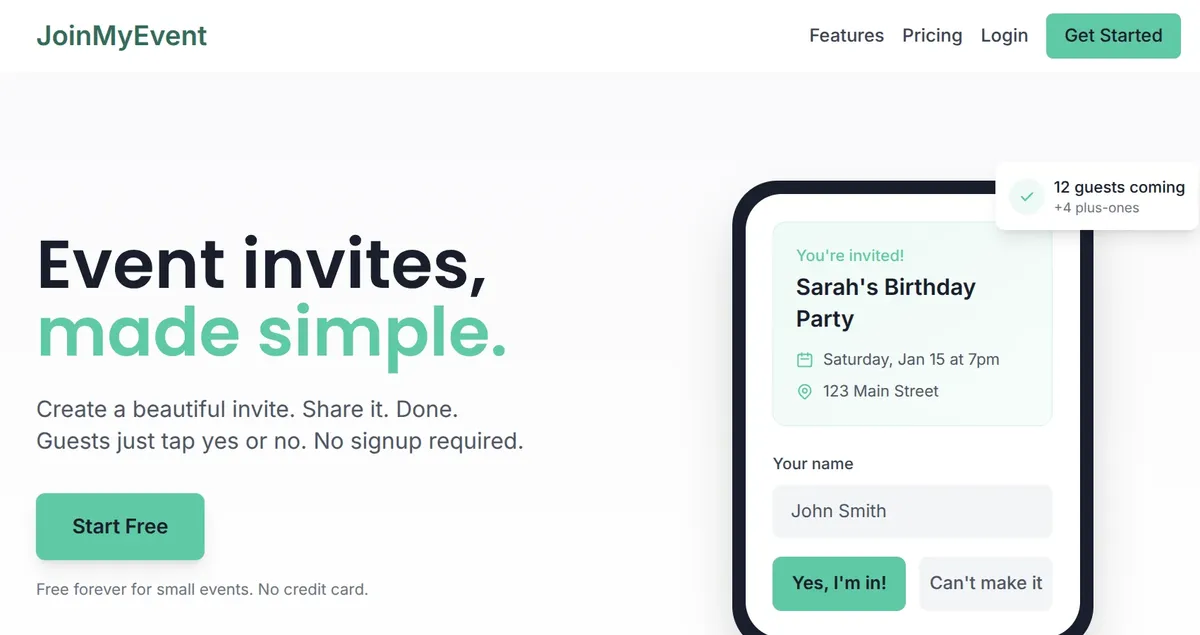
On JoinMyEvent these are custom questions. Dietary restrictions, meal choice, transportation and T-shirt size come as one-click templates in the question editor. Plus-ones get their own name and answers, so the caterer gets a full list rather than a number.
Plus-ones: when to allow them
From my experience, this is the question that causes the most confusion, so decide it up front and say it in the invite.
- Yes: holiday parties, evening celebrations, milestone dinners, award nights.
- Usually no: training days, working lunches, offsites, internal meetings.
- Case by case: client events. Keep it to the people you're actually hosting.
Getting the list to the caterer
Whatever tool you use, you'll want the guest list with dietary answers in a spreadsheet at some point. Badges, seating, catering and security all start from that file.
On JoinMyEvent the list is on the event dashboard as replies come in, with plus-ones and answers per person. CSV export is part of the $2.99 per-event unlock, or included for every event with a Host Pass ($19.99 a year) or Lifetime ($149.99). Everything else, unlimited guests, questions, plus-ones, event updates and the calendar file, is free.
Reminders that work
Nobody likes chasing, so do it once and do it well. Two messages are usually enough:
- One week before the reply deadline: "Haven't heard from a few of you. Reply by Friday, please, the caterer needs numbers."
- The day after the deadline: a personal message to the people still missing. A group reminder at this point gets ignored.
If something changes (room, time, parking), post it as an event update so everyone gets the same information, and don't rely on a reply-all thread.
Why not send everyone to an ad-supported invite site
Two reasons. Your client sees ads next to your logo, and the guest data goes somewhere you don't control. For a team lunch it doesn't matter much. For a client event it does.
JoinMyEvent has no ads on any page, guests reply with just their name (no account, no app), and the event page carries your event and nothing else.
Where to start
There's an occasion page for each of these:
Or create the event directly. It takes about a minute, and the reply link works in email, Slack or Teams.
Good luck with the headcount :)