Your Responses: Every Event You Said Yes To, in One Place
Updated September 2026.
You've replied to a handful of invites over the last month. A birthday, a class party, two work things. Now it's Thursday and you're trying to remember which one is Saturday, and whether you said yes to the team dinner.
If you have a JoinMyEvent account, the answer is on your dashboard, under "Your Responses".
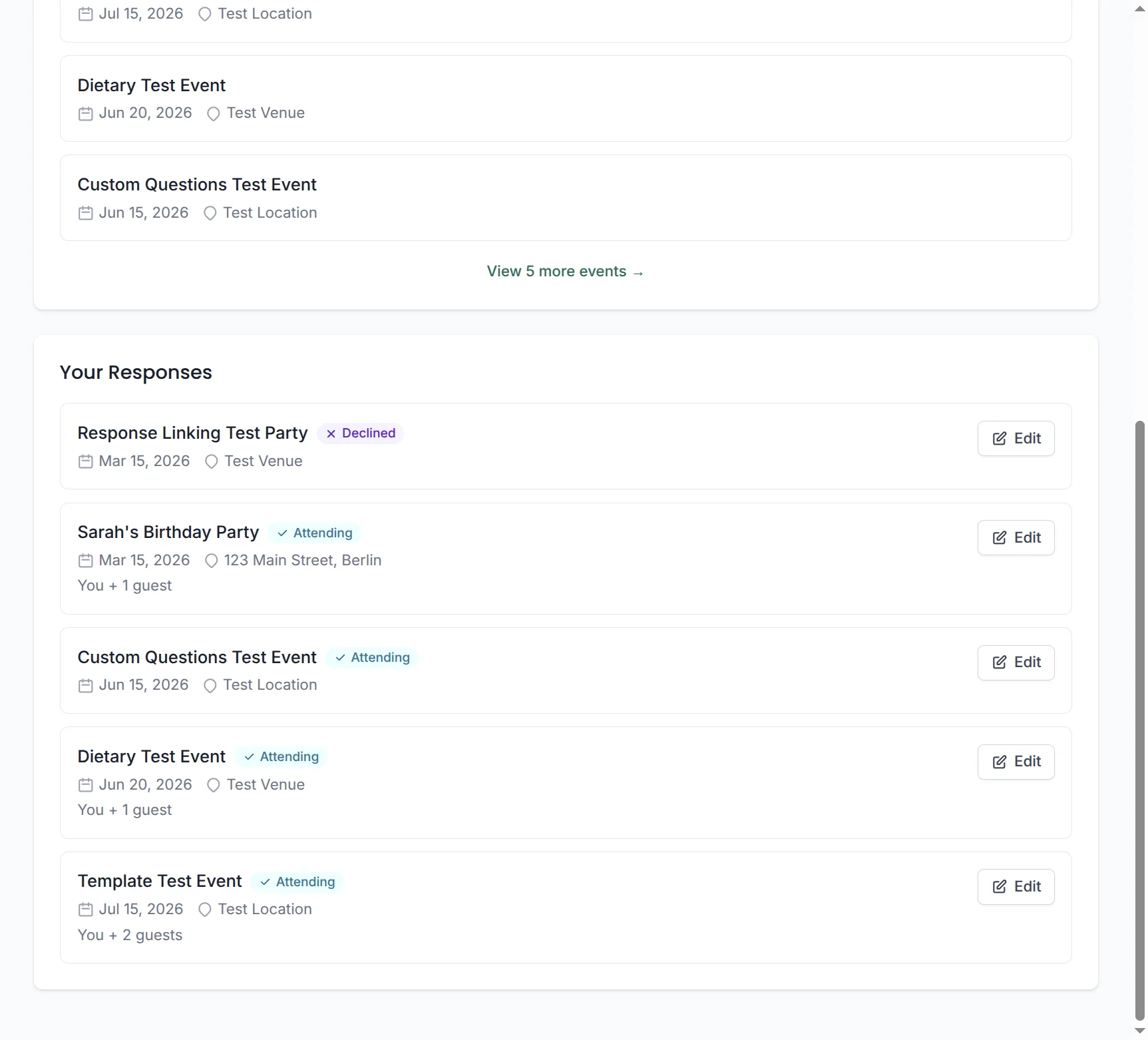
What it shows
Every upcoming event you replied to while logged in (or linked afterwards), sorted by date:
- The event name, date and location
- Your answer: attending or not
- Your party size, if you added plus-ones
- An edit button that takes you straight to your response
An event drops off the list once its date has passed. 14 days later the event and every reply to it are deleted (sooner if the host deletes it).
Who gets it
Guests never need an account to RSVP. You type your name, tap yes or no, done. That doesn't change.
The account is optional and it's for guests who reply to a lot of invites and want them in one place. There are three ways in:
- You already have an account (maybe you've hosted something). Log in before you reply, and the response lands in your list on its own.
- You replied without an account. The confirmation page has a "Sign up" link that creates an account and attaches that response to it.
- You replied without an account and already have one. Same spot, "log in" instead, and the response is linked.
Responses you made as a guest without linking stay reachable through their edit link. They don't show up in the list.
Dashboard or edit link?
Both work, and they're for different people.
The edit link is what every guest gets on the confirmation page. Save it, and you can change your answer from any device without logging in. For a guest who replies to one or two invites a year, that's all they need.
The dashboard is for the guest who replies to many. One login, every event, no links to keep.
Where to find it
- Log in.
- On the dashboard, scroll past "Your Events" if you host as well. "Your Responses" is right below.
- Tap "Edit" on any event to change your answer or add a plus-one.
Hosts can't see your dashboard. They only see your reply to their own event.
If you host too, the same page shows your events above, so everything you're going to on a given weekend is one scroll away. Enjoy the weekend :)
Coloque em prática
Faça seu convite
Grátis, em um minuto, e seus convidados confirmam sem conta.
Crie seu convite grátis